💡🎨 Enhance color functionality across all token types
👀 The current situation
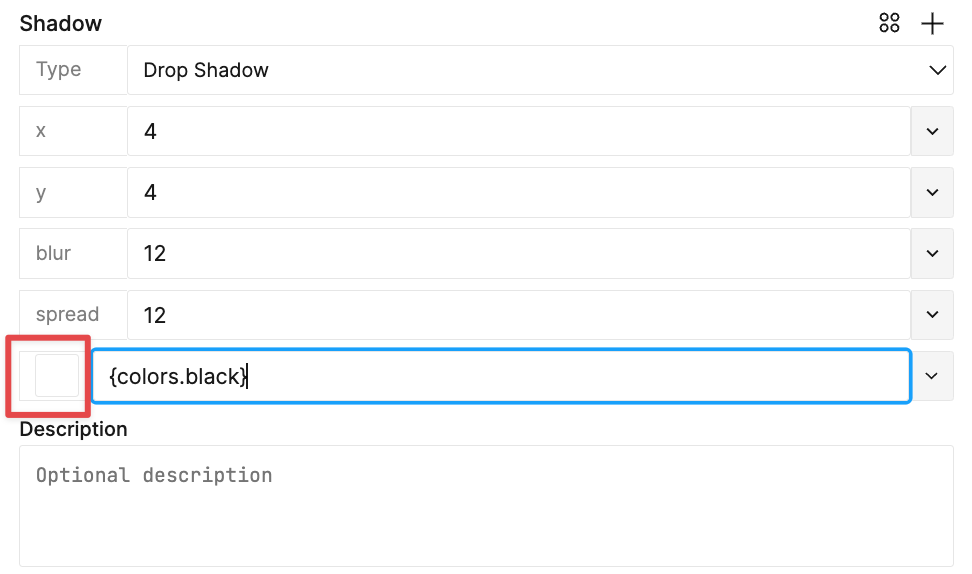
Today we have several token types which have a color swatch preview as a part of the create and edit process. Ideally, all color swatches behave the same way regardless of what the token type is.
Display the swatch filled with a color that accurately represents the value
Raw vales
Resolved values
Ideally we could also use
a color picker affordance to work with color in the plugin
a visual cue on the color tokens to indicate if they are being used with reduced opacity (Github # 1730)
😬 The reality
Today, some of out token types don't show a color swatch preview when their value is referenced from another token or requires a resolved value.
💭 How might we...
Improve the user experience for color across all token types, including the color swatch preview and ability to use a color picker which matches our real world expectation of how color is supposed to work in the plugin and design tools in general.
💬 Feedback that is valuable
How does this issue impact your day-to-day workflow?
What workarounds do you have?
↔ Related topics
TBD →
Log in to comment and vote
Comments2
Keegan (Tokens Studio)
May 6, 2024
Github issue regarding color functionality:
#1730 Pattern On Color Token To Indicate Opacity
Sam - Tokens Studio
Mar 26, 2024
Github Issues Mentioned
Swatch not displaying color for border type #1928
Color Swatch in Box Shadow does not show Color #2145
Add eye-dropper to pick colors from the canvas #2523
Linear-Gradient token does not work with other color spaces#2718